No. 05 · · 1 min read
Ever felt like your charts have too much going on?
The data is right, so why is the chart so hard to read? Often the problem is everything on it that isn’t data.
The idea
Less is more. Edward Tufte’s Data Ink Ratio asks one thing of every mark on a chart: does it convey data? Keep the ink that does, and strip out the rest.
01
A rule used for ten years
The author learned Tufte’s Data Ink Ratio about ten years ago and has used it ever since.
02
Strip out what isn’t data
Keep the marks that convey data; everything else on the chart is a candidate for removal.
03
Keep a reminder in sight
The author liked the original Darkhorse Analytics visual so much that it became their background image, a constant reminder.
Think less is more, especially in data storytelling.
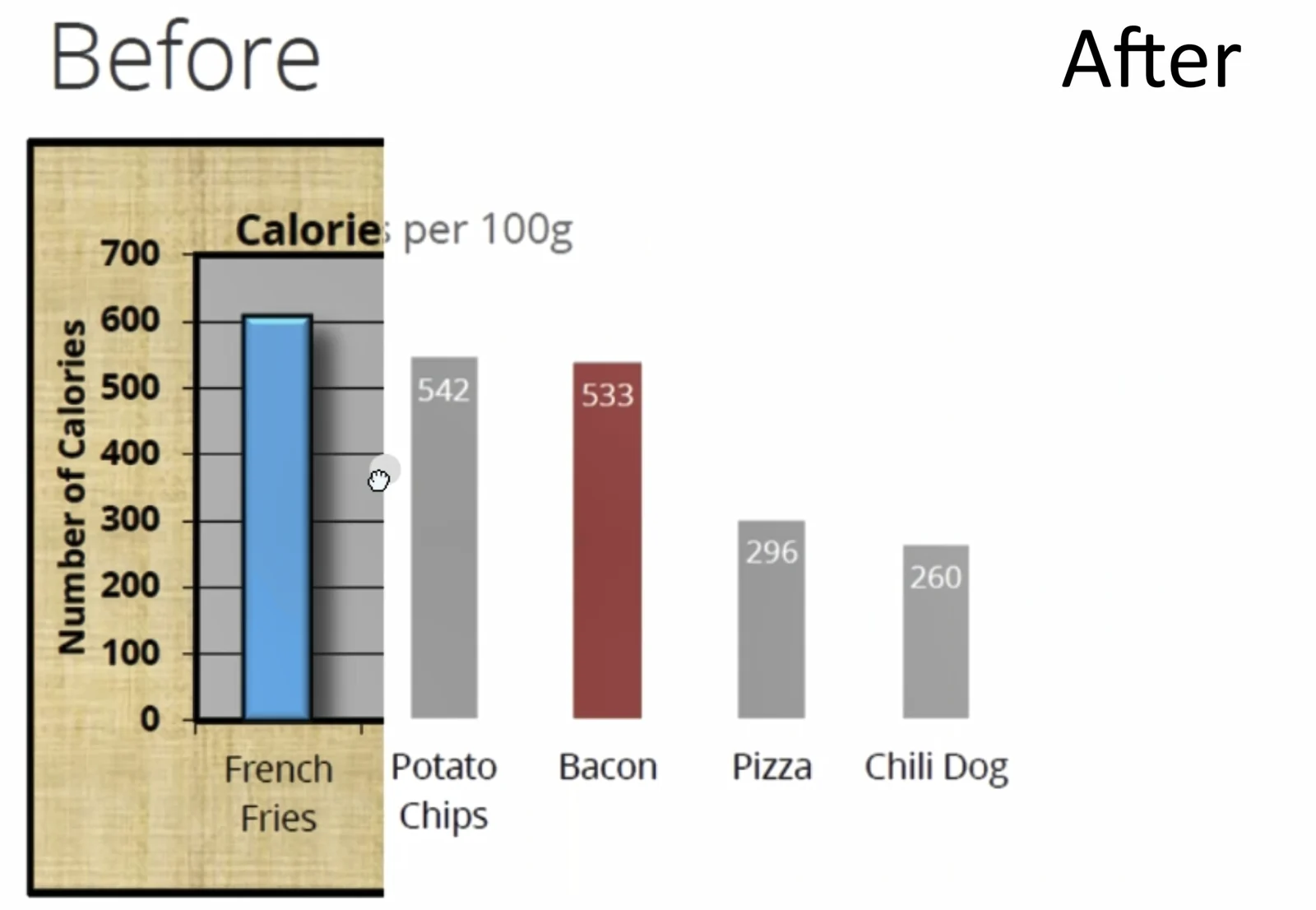
About 10 years ago, I came across the Data Ink Ratio concept from Edward Tufte during data visualization training, and it’s been a game-changer ever since. The idea? Focus only on the “ink” that conveys data and strip out the rest. Think less is more, especially in data storytelling.
In fact, I even discovered the original visual from Darkhorse Analytics (a Canadian gem) and liked it so much, that it became my background image as a constant reminder!
In this quick video, I walk through how to simplify charts using the Data Ink Ratio concept. Let’s declutter our data visuals and make them impactful. Curious - how do you approach simplifying your own data visuals?

Excited to hear your thoughts! If you’d like to jump into the discussion or share your insights, just follow this link, and let’s keep the conversation going: